If you’ve ever worked with Oracle forms using User Variables, you know the drill: before users could get started, we always had to remind them to manually update their preferences. It was a small but tedious step—necessary, but easy to forget.
We even experimented with workarounds, like using Groovy scripts to auto-populate variables based on the first form a user opened. Helpful, but still a workaround.
Now, thanks to a recent Oracle update, those days are behind us. Oracle has taken a smart leap forward. If your form includes at least one User Variable and has dynamic user variables enabled, users can now set and change these values directly within the form. No detours. No setup reminders. Just a smoother, smarter experience from the start.
This is applicable to Forms 2.0 and Dashboards.
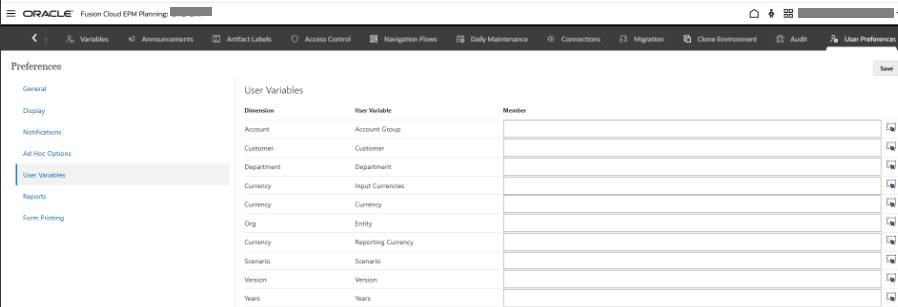
Below is where the users used to go before to set up their User Variables. I cleared all the variables to test this out.
The users instead of going to the step above, just open any form which they want to use.
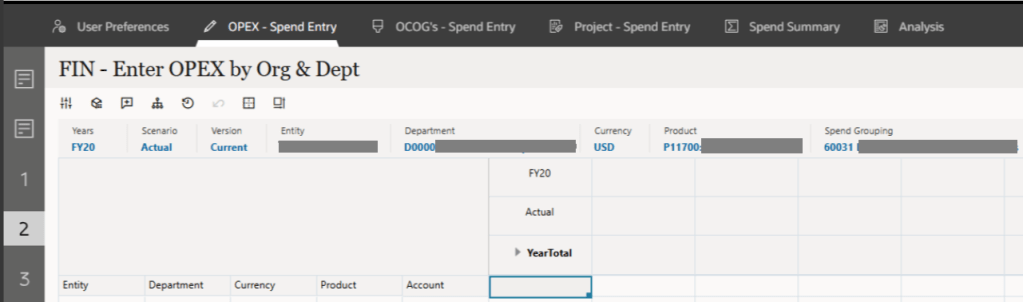
From the update, “the system now automatically sets default values for dynamic and context-sensitive user variables based on the highest level of users access for the first time the form is opened.”
My user variables are set based on the form I opened.
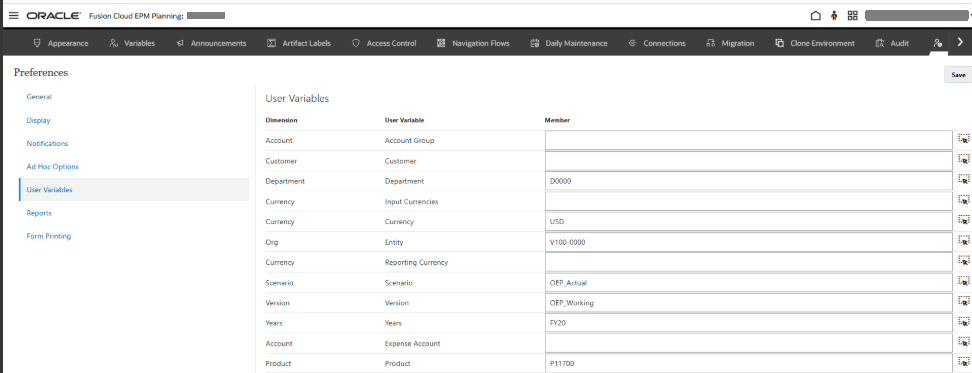
This feature was introduced in the August 2025 EPM Updates and will go live in Productions instances by the 15th of the month.
A big shout out to Ronnie Tafoya | LinkedIn for always testing out these cool things and educating the team.
Oracle Documentation used for reference – Dynamically Setting User Variables
 Elevate EPM
Leave a comment